No dashboard to open
It refreshes itself from your systems. People see the number where they already are.
Most people who could act on a number never open the dashboard. Metrilite puts the few numbers that matter today on a small screen at the counter, the line or the team lead's desk, with how each one compares with yesterday or last week.
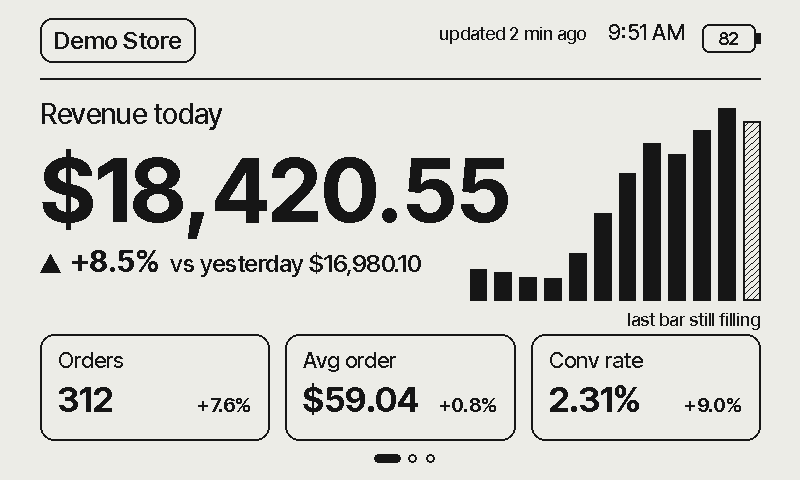
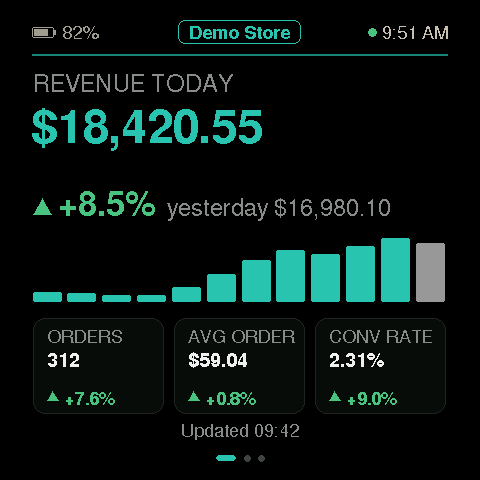
The same feed on Glow and Paper, with demo numbers.
It refreshes itself from your systems. People see the number where they already are.
Each value shows its change against yesterday or last week. Anything past its warning level stands out.
Paper reads like print in daylight and has a built-in battery, so it sits on a counter, a shelf or a machine.
The screen holds no keys and can only read the numbers it shows.
Metrilite · The numbers that matter, where the work happens
Where it works
Metrilite earns its place where a number changes during the day, someone can act on it the same day, and the people who act are not sitting at a dashboard.
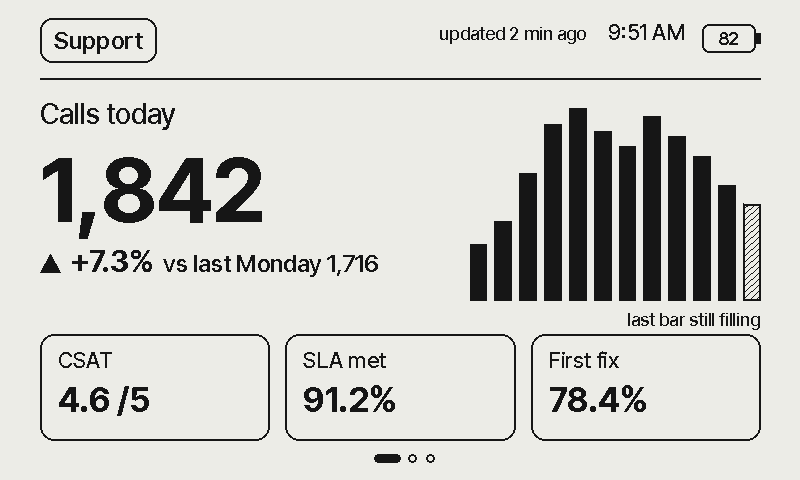
Calls, service level and satisfaction on each team lead's desk, so the floor reacts during the shift, not after the end-of-day report.
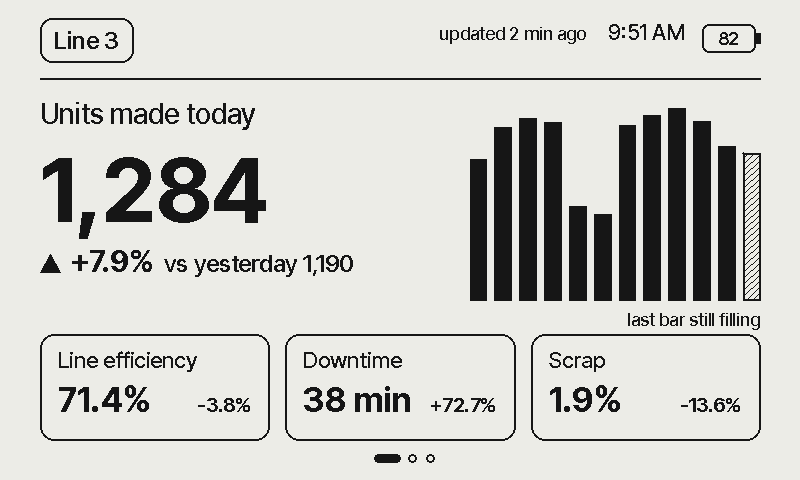
Units against target, downtime and scrap at each line. Paper runs on its own battery, so there is no new wiring to every workstation.
Today's sales against the same day last week, on the counter, without logging in to the till system.
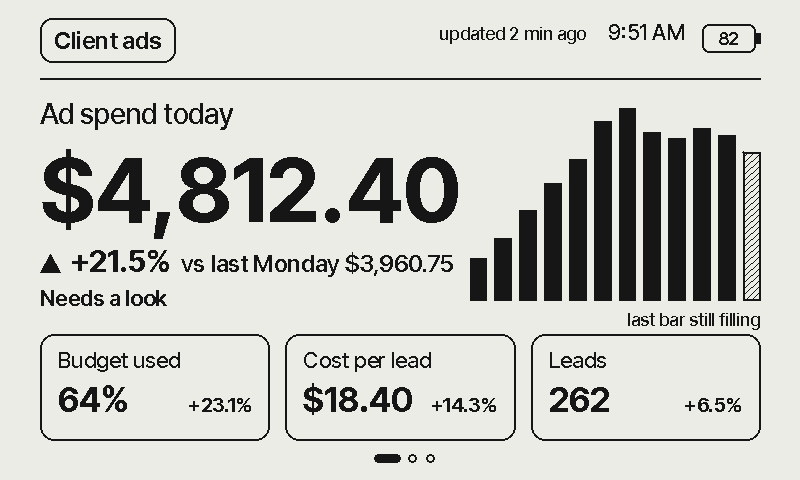
Each client's ad spend today, budget used and cost per lead, so an overspend is caught the same morning.
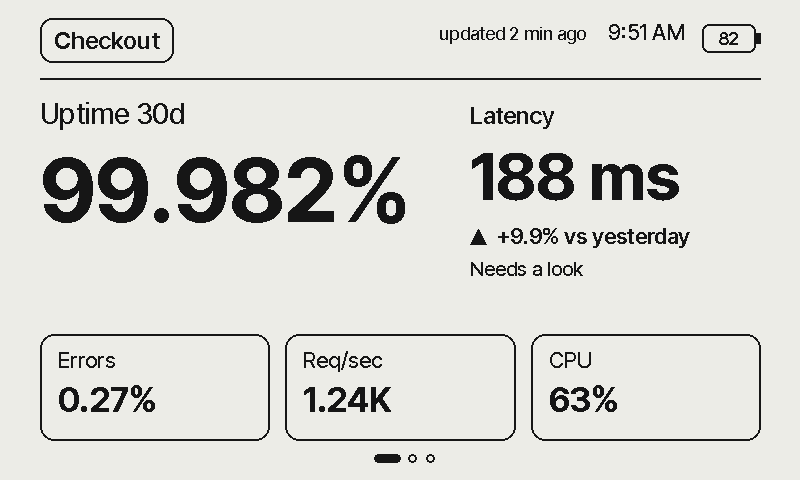
Uptime, latency and errors in the room, not in a tab someone has to remember to open.
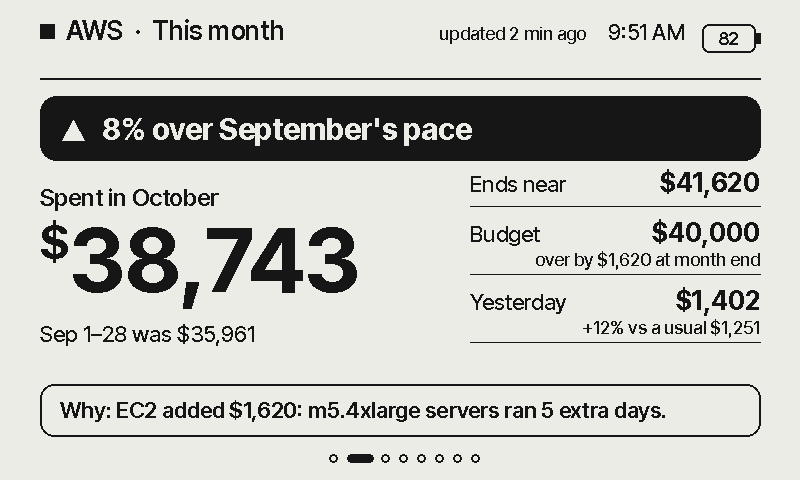
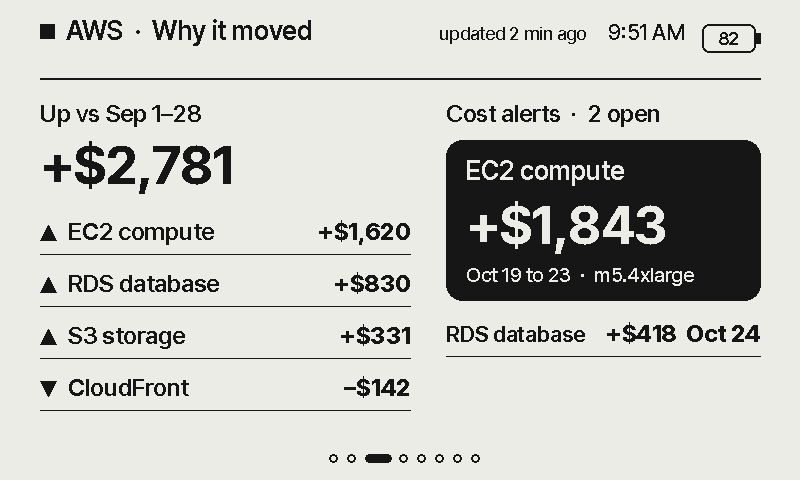
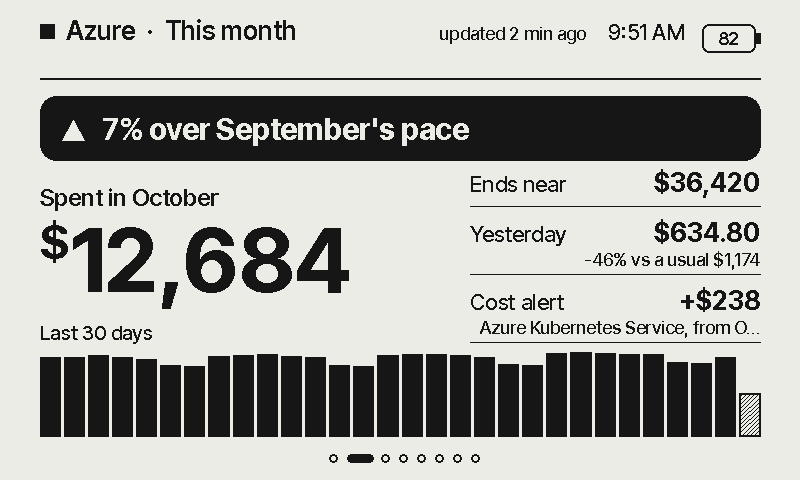
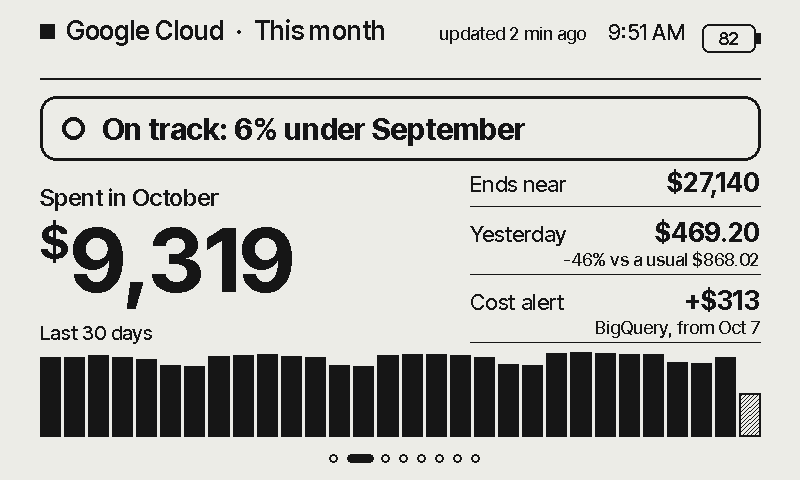
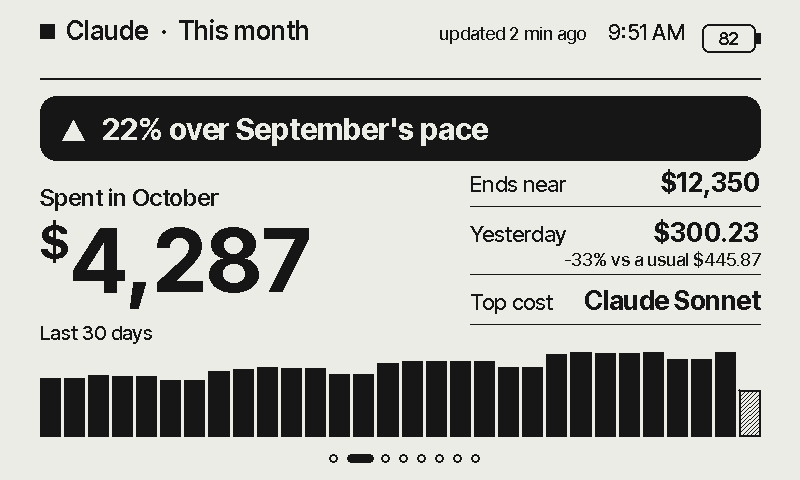
AWS, Azure, Google Cloud and Claude bills through ready-made connectors: the month so far, cost alerts and where the month will land.
Every screen on this page shows made-up demo numbers.
And when it doesn't. We would rather you knew before you buy.
Sales, queues, output, spend. A number that changes once a month belongs in a report, not on a screen.
A huddle, a call, a paused campaign, a line restarted. If nobody can act on it, nobody needs to see it.
Team leads on the floor, staff at the counter, operators at a line. They will not open a dashboard, but they will glance at a screen.
The screen shows where to look. Your dashboard is still the place to find out why.
Glow and Paper
Pick the one that suits the place. Both show every source you connect, and one account can have both.
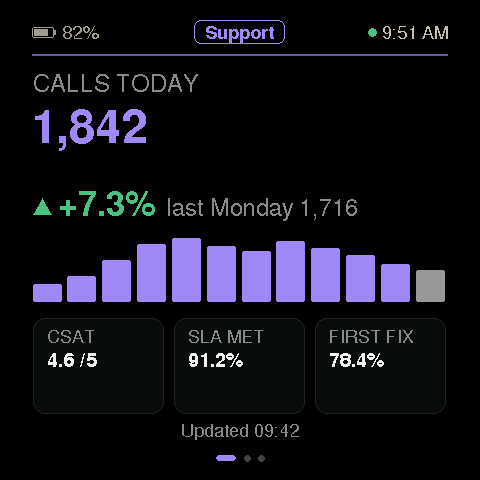
A bright touch screen for the desk you sit at. Colour flags what needs a look, and you swipe between pages.
Explore Metrilite Glow →A 7.5-inch e-paper screen that reads like print. Sharp in daylight, no glow, and a built-in battery, so it works on a counter, a shelf or a machine.
Explore Metrilite Paper →Any API
Any HTTPS endpoint you own, with no code to write. You see every layout with your own numbers before anything reaches the screen.
Paste your HTTPS endpoint and its key or token. The key is stored encrypted.
Tick up to 12 values from your JSON and pick one of five layouts.
Your numbers go live on Glow and Paper and keep themselves current.
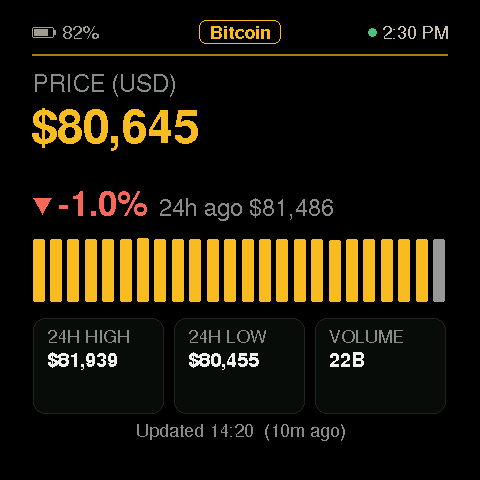
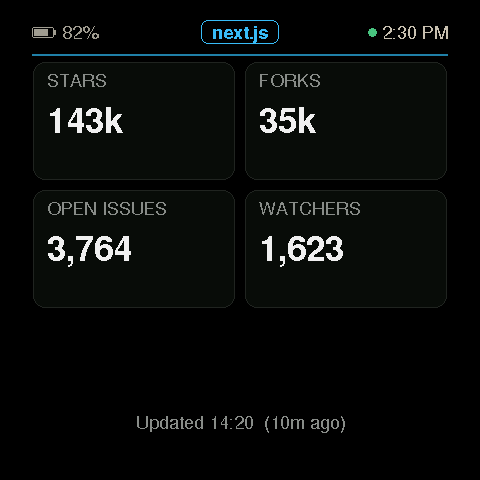
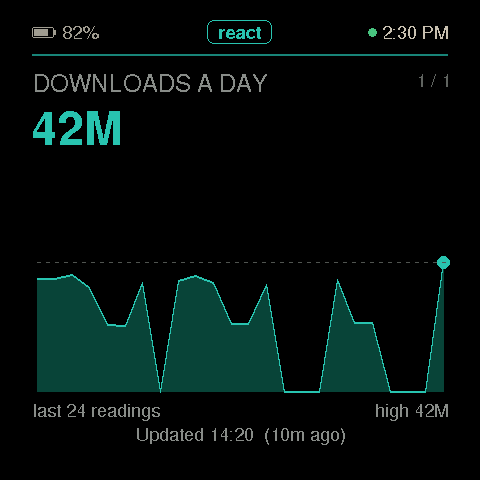
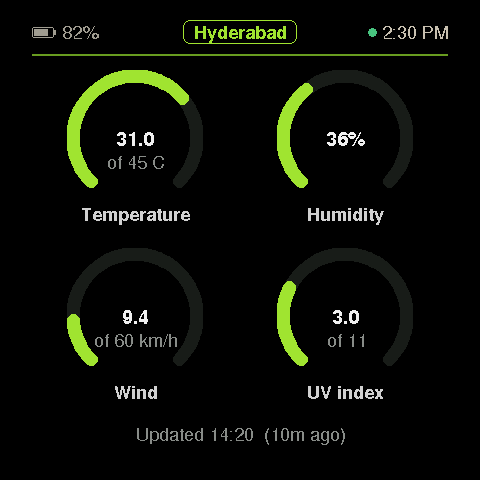
Real responses from CoinGecko, GitHub, npm and Open-Meteo (CC BY 4.0), drawn by the desk's own software.
Try it with your data →Ready-made connectors
AWS, Azure, Google Cloud and Claude connect with read-only access. The screen shows the month so far against the same days last month, what is driving it, cost alerts and, on AWS, where the month will land.
For software companies
If your product already holds the numbers your customers' teams act on, we can put them on Metrilite screens for you, as an add-on you sell.
You provide a read-only API. We handle the screens, setup, updates and security.
Sell it per team or per screen, on top of the subscription your customers already pay.
Security
The screen shows a number. Everything that could spend money or change your systems stays somewhere else.
Billing and cost reports, or the values you pick from your API. Nothing else.
Stored encrypted, never shown again and never on the screen.
Each screen has its own key and talks over mutual TLS.
The screen refuses any firmware we did not sign.
Paste your system's HTTPS address and its key or token, then tick the values to show. For AWS, Azure, Google Cloud or Claude, run the one command the console gives you in your own account: it creates a small read-only connector there, and nothing else.
Type the screen's serial number in the console. It receives its own read-only access over an encrypted channel; nobody copies a key by hand.
On the counter, the line or the team lead's desk. Your own systems refresh every 5 to 60 minutes, as you choose, and the screen picks up each change within minutes. Cloud bills refresh four times a day on AWS and every 4 hours on Azure and Google Cloud.
Questions
Where a number changes during the day, someone can act on it the same day, and the people who act are away from a computer: contact-centre and support floors, factory lines and warehouses, shop counters, agencies watching ad spend, and teams on call. If a number changes once a month, a report or an email will serve you better.
A dashboard waits to be opened, and the people on the floor rarely open it. A TV needs power, a network cable and someone to keep a browser logged in. Metrilite sits where each person works, shows only the few numbers that matter there, and keeps itself current. Keep your dashboard for finding out why a number moved.
Any HTTPS address that returns JSON: your own backend, or a tool you already use that offers an API key. It can send a key in a header, a bearer token or basic auth. Pick up to 12 values, nested keys and lists included, and preview them on all five layouts before anything reaches the screen. AWS, Azure, Google Cloud and Claude have ready-made connectors.
Glow is bright, in colour and driven by touch: best on a desk you sit at. Paper is larger, calm, easy to read in daylight and has a built-in battery: best on a counter, a shelf, a machine or a wall. Both show the same sources.
Yes. If your product holds numbers your customers' teams act on, we can put them on Metrilite screens as an add-on you sell. See Partners.
Custom feeds from any HTTPS JSON API with five layouts; the connectors for AWS, Azure, Google Cloud and Claude with month-to-date spend, the trend against last month, top services, linked accounts, anomalies and the forecast; claiming a screen from the console; and over-the-air updates.
For AWS, no: the connector runs in your account, the screen reads its status straight from there, and we only see whether it is healthy. Azure and Google Cloud send their totals, never a credential, to our service so the screen can fetch them; custom feeds and Claude are read by our service with the key you saved. Nothing is shared between customers.
Your own systems refresh every 5 to 60 minutes, as you choose. Cloud connectors refresh four times a day on AWS and every 4 hours on Azure and Google Cloud, because providers update billing data only a few times a day. The screen picks up a change within minutes of each refresh: glanceable, not a trading screen.
Keys for your own systems are stored encrypted on our side and are never sent to the screen or back to your browser. Your cloud credentials never leave your account; the connector there uses a read-only billing identity. The screen holds one token that can only read its own status, delivered over an encrypted device channel when you claim it. This website never shows that token.
Tell us where your team works and what it needs to see. Create an account to connect your first source.